Review Management
Every completed job triggers a review request text. Build your Google reputation automatically while you work.
- →Automated review request text 24 hours after job completion — no manual asking
- →Direct Google review link included in the text — one tap to leave a review
- →Customize timing and messaging for your review requests
- →Track which reviews came from which jobs — connect reputation to performance
- →More reviews = higher Google ranking = more inbound calls
- →Works for Google, Yelp, and Facebook reviews
A+ Appliance Repair
Text line · online
Hi Daniel! Your dryer repair is marked complete — hope it's working perfectly. If you have a minute, a review means the world to a small business like ours ⭐
Sat 11:32 AM · Auto
Done! 5 stars ⭐⭐
Sat 11:40 AM
Thank you so much! We really appreciate it 🙏 Have a great weekend!
Sat 11:41 AM · Auto
How review requests work
01
The job completes
You mark the job done — or Prybar detects the appointment finished — and the timing is right.
02
A review request goes out by text
A short, friendly text asks happy customers to leave a review, with the link right in the thread.
03
Reviews come back to you
New reviews land in your dashboard so you can respond fast — the #1 factor in how your Google rating performs.
04
Your reputation compounds
A steady stream of fresh reviews is what actually moves the needle on local search rankings.
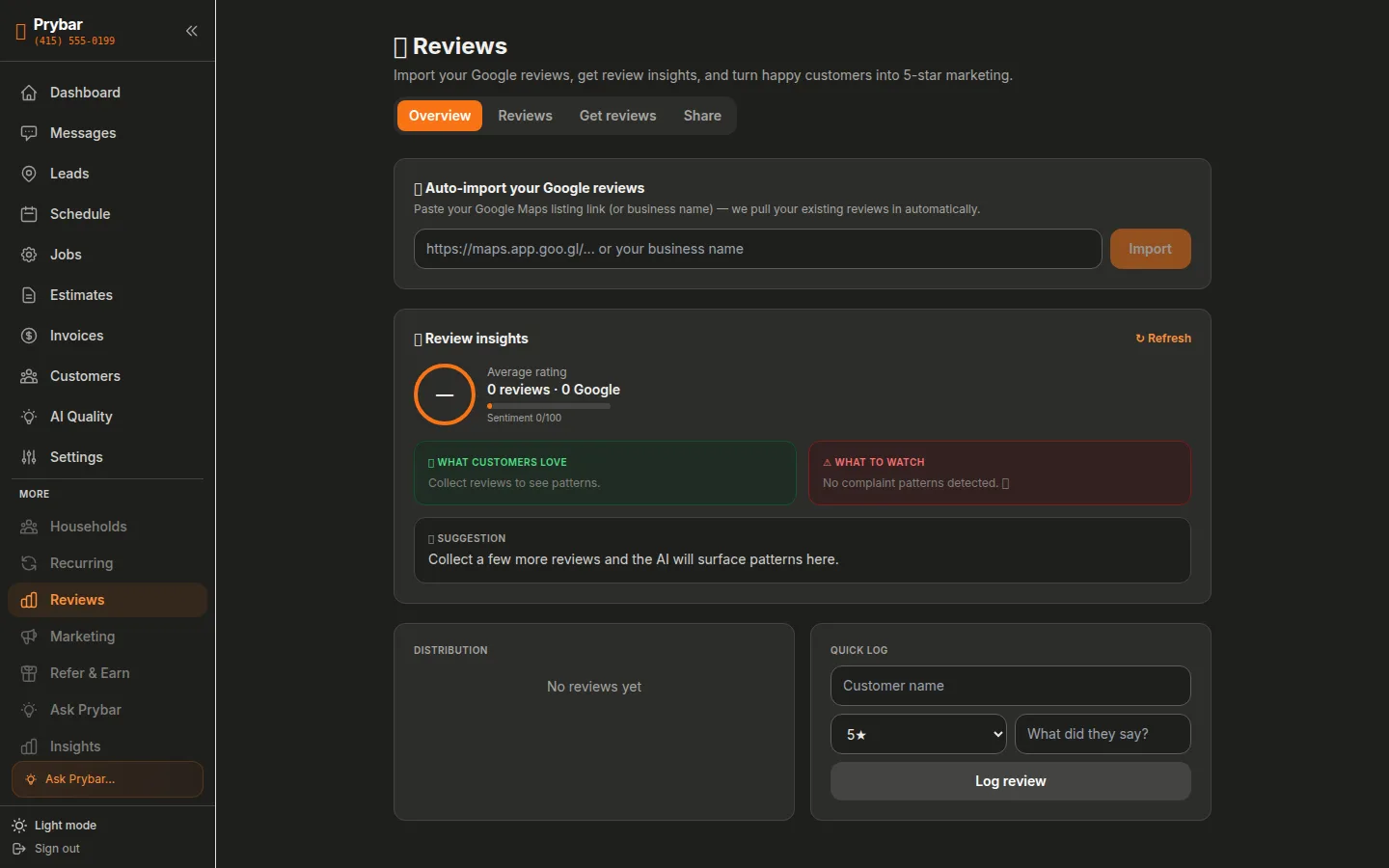
See it in the dashboard
Review requests go out after every job — see who responded and what they said.
Frequently Asked Questions
Do review requests feel automated?+
They're short, specific, and personal — tied to the actual job that just finished. Most customers are happy to help a small business.
Which platforms does it support?+
Google reviews by text link, with more platforms on the way. You can also request reviews for any completed job with one tap.
Can I respond to reviews from Prybar?+
Yes — new reviews and your replies are tracked in the dashboard.